

Download PPMate NetTV – Free Streaming App for Windows, Mac, Android & iOS
PPMate NetTV is a powerful, free P2P streaming application that lets you enjoy over 940 TV channels across diverse genres including sports, news, movies, and TV series. With its sleek interface, intuitive navigation, and strong streaming performance, PPMate NetTV stands out among modern streaming tools. Designed for users who want reliable access to live TV without subscriptions, this software supports multiple platforms including Windows, Mac, Android, and iOS.
Whether you're watching live sports, catching up on the latest news, or streaming international content, PPMate delivers a smooth and secure viewing experience. The app features a user-friendly two-tab layout—player and menu—with a scrollable channel list, favorites tracking, and real-time program reminders. Advanced users can tweak the XP TCP patch for optimal streaming quality.
While some features like recording and subscription are still under development, the core streaming functionality remains one of the best in its class.
Why PPMate NetTV Stands Out in the Streaming App Market
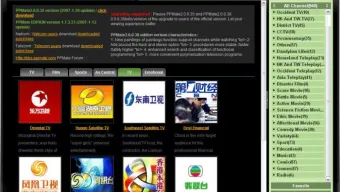
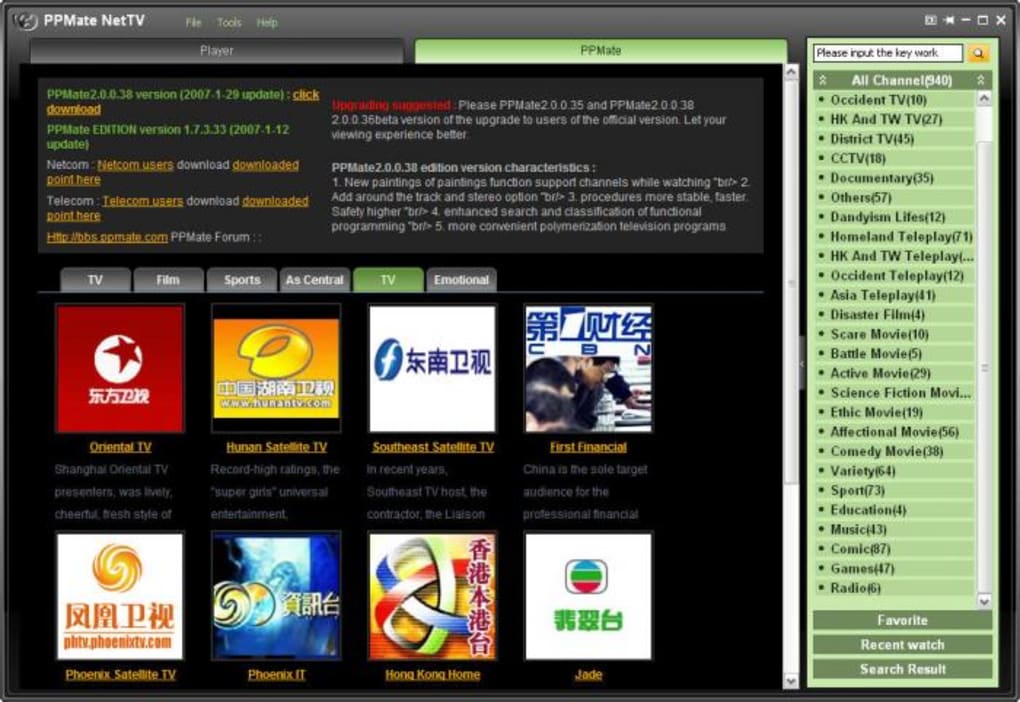
PPMate NetTV has redefined what a free, P2P-based streaming app should be. Unlike many outdated or cluttered alternatives, this software boasts a clean, modern interface that’s easy to navigate even for first-time users. The two-tab design—player and menu—ensures that viewers can seamlessly switch between watching content and browsing channels.
The side menu offers a categorized list of over 940 channels, covering everything from live sports and breaking news to international movies and popular TV series. Each channel is displayed with a thumbnail and a popularity indicator, helping users identify trending and well-streamed content. One of the standout features is the "Favorites" list, which automatically saves channels you’ve watched, making it simple to return to your preferred shows.
The search-as-you-type function further enhances usability, allowing you to quickly locate specific programs without scrolling through endless lists. While the ticker bar in the player view shows upcoming programs, it currently only displays in Chinese—a minor but noticeable drawback for non-Chinese speakers. Still, the app’s overall design prioritizes speed, clarity, and functionality.
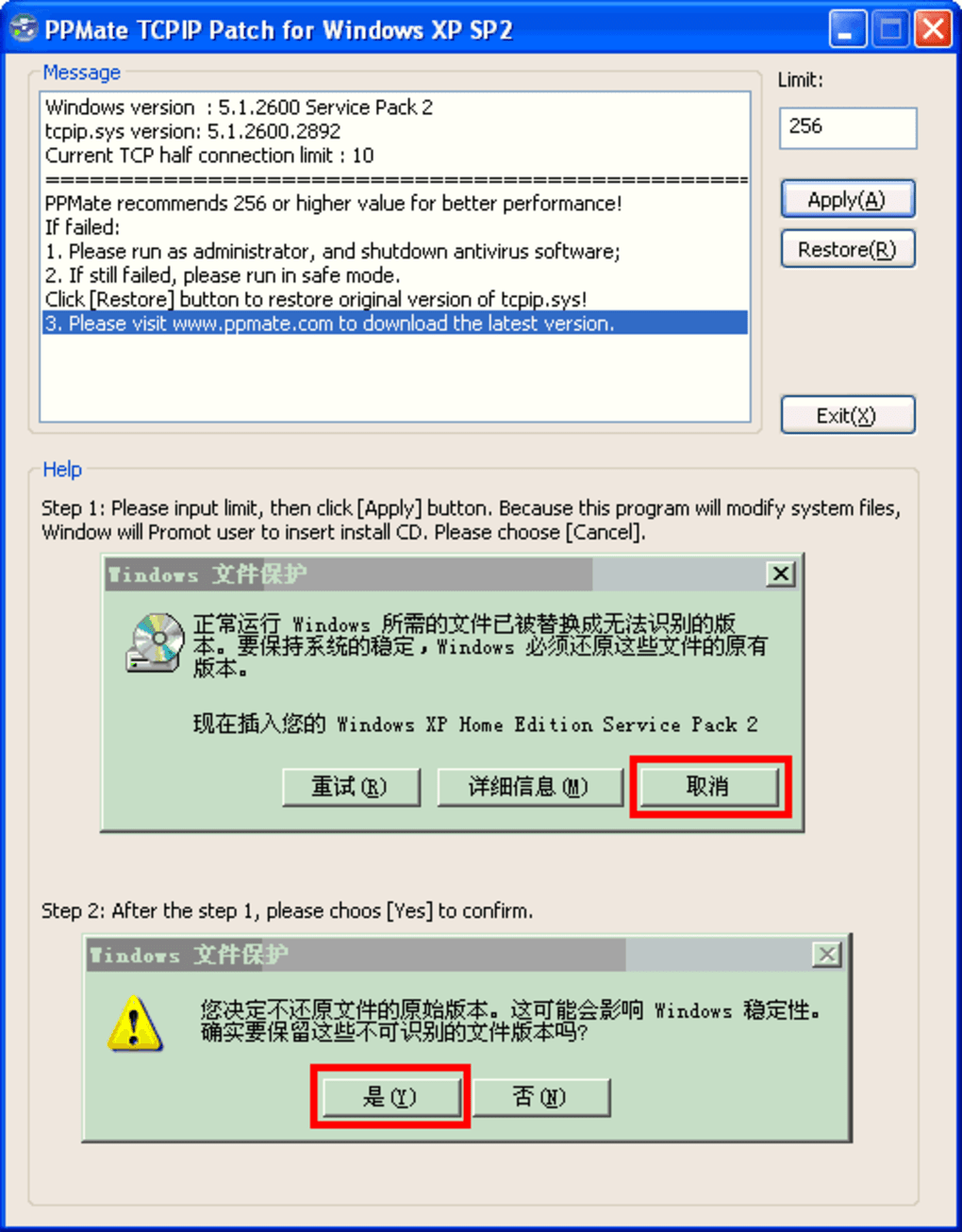
For users seeking a no-frills, high-performance streaming tool, PPMate NetTV delivers exactly that. It’s also worth noting that the app supports advanced configuration options like the XP TCP patch, which, when set to 256 or higher, significantly improves stream stability and quality. This level of customization is rare in free streaming apps and adds a professional touch that appeals to tech-savvy users.
Installation, Usage, and Compatibility Across Devices
Getting started with PPMate NetTV is straightforward, especially for users on Windows and Mac. The software is available for free download and requires minimal setup. After downloading the installer, simply run it and follow the on-screen prompts.
However, a critical compatibility note: PPMate NetTV only works with Windows Media Player (WMP) versions 9 or 10. If you have WMP 11 or later installed, you’ll need to downgrade your media player or use a compatibility mode. This limitation may deter some users, but it’s a known issue that could be addressed in future updates.
Once installed, the app launches with a helpful quick-start guide that explains key features such as the channel list, player controls, and caption settings. This onboarding experience is a major plus, especially for newcomers unfamiliar with P2P streaming. On mobile devices, PPMate NetTV is available for both Android and iOS, offering a consistent experience across platforms.
The mobile version mirrors the desktop interface, allowing users to stream live TV on the go. For Android users, the app is available via third-party app stores, while iOS users may need to sideload the app through trusted sources. The app supports various file formats and integrates smoothly with external devices like smart TVs and streaming sticks when used in conjunction with screen mirroring.
Recording live channels is possible via the in-player recording button, though the "browse recording directory" function is currently non-functional. Users must manually navigate to the PPMate folder to access recorded files. Despite this, the overall installation and usage process remains smooth and efficient.
With support for Windows, Mac, Android, and iOS, PPMate NetTV ensures that users can enjoy live TV anytime, anywhere.
Key Features, Pros, and Cons of PPMate NetTV
- Over 940 live TV channels across sports, news, movies, and series
- Intuitive two-tab interface with player and menu layout
- Auto-saved favorites and search-as-you-type functionality
- XP TCP patch support for improved streaming quality
- Live program ticker (in Chinese)
- Free to download and use with no subscription required
- Available on Windows, Mac, Android, and iOS
- Recording feature with manual file access
Pros
- Exceptional streaming quality with proper TCP configuration
- Modern, clean interface that’s easy to navigate
- Large channel library with diverse content categories
- Free software with no hidden costs or ads
- Supports multiple platforms including mobile devices
- Popularity indicators help identify stable streams
Cons
- Requires WMP 9 or 10—compatibility issues with newer systems
- Subscribe feature shows a blank notification window
- Recording directory browse function is not working
- Most channels are from Asian networks—limited Western content
- Ticker bar displays in Chinese, not multilingual
Frequently Asked Questions (FAQ)
Is PPMate NetTV free to download and use?
Yes, PPMate NetTV is completely free to download and use. There are no subscription fees, hidden charges, or in-app purchases. The software is designed to provide unrestricted access to live TV channels without cost.
Which operating systems does PPMate NetTV support?
PPMate NetTV is compatible with Windows (with WMP 9 or 10), Mac, Android, and iOS. Users on newer Windows versions may need to install an older version of Windows Media Player to ensure full functionality.
Can I record live TV channels using PPMate NetTV?
Yes, the app includes a recording button in the player bar that allows you to save live broadcasts. However, the "browse recording directory" feature is currently not functional, so you’ll need to manually locate recorded files in the PPMate folder.
Why does PPMate NetTV require WMP 9 or 10?
The app is built to work with the specific media engine of WMP 9 and 10. Newer versions of Windows Media Player have architectural changes that are incompatible with PPMate’s streaming protocol, which is why users with WMP 11 or later must downgrade.
Are there Western channels available on PPMate NetTV?
While PPMate NetTV offers over 940 channels, the majority are from Asian networks. Western viewers may find limited options for U.S. or European channels. However, the developers have hinted at expanding the library in future updates.
Final Verdict: Is PPMate NetTV Worth Your Time?
PPMate NetTV is one of the most reliable and feature-rich free streaming apps available today. Its sleek interface, vast channel selection, and strong streaming performance make it a top choice for users seeking live TV without a subscription. While it has some limitations—such as the WMP compatibility requirement, non-functional recording directory, and limited Western content—the core experience remains highly satisfying.
The app’s ability to deliver smooth, high-quality streams with minimal buffering is impressive, especially when the XP TCP patch is properly configured. For fans of international programming, PPMate is a goldmine. For casual viewers, it’s a solid alternative to paid streaming services.
With ongoing updates improving streaming stability and adding new channels, PPMate NetTV is clearly evolving into a more polished tool. If you’re looking for a secure, free, and powerful way to stream live TV across multiple devices, PPMate NetTV is definitely worth downloading. Don’t miss out—get the latest version today and start watching your favorite shows live.
CTA: Download PPMate NetTV now and enjoy over 940 live TV channels on Windows, Mac, Android, and iOS—completely free and secure.
Reviewer: TechStream Team
Rating: 4.5 out of 5
Review Date: 2024-04-15
Home Software Streaming Apps






